Google Shopper is emerging as one of the hottest contenders in the shopping apps category of Android apps. This app combines the best features of its competitors and seamlessly integrates it with the familiar Google interface for you to use if you are looking to purchase new products, which reduces the need to download and use multiple shopping apps to avail of different features. To get started, download and install the
Google Shopper app from Google Play Store. Once you open it, you will now be asked to input your current location to build a personalized shopping radar for you. The homepage will show you listings of a variety of popular products available in your local area which can be sorted into other categories by you.
Google Shopper's polished search interface is complemented by a touch of simplicity by giving you three-option search controls to pilot your shopping experience.
- Image search button, for taking photos and bar code scanning.
- Voice Search button to launch, you guessed it, voice search.
- Text-search box.
At the bottom of the app interface are 3 additional functions –“Search” to help navigate you back to the main page, “History” to show or erase all your shopping search history, and “Starred” to save any of your favorite shopping pages.
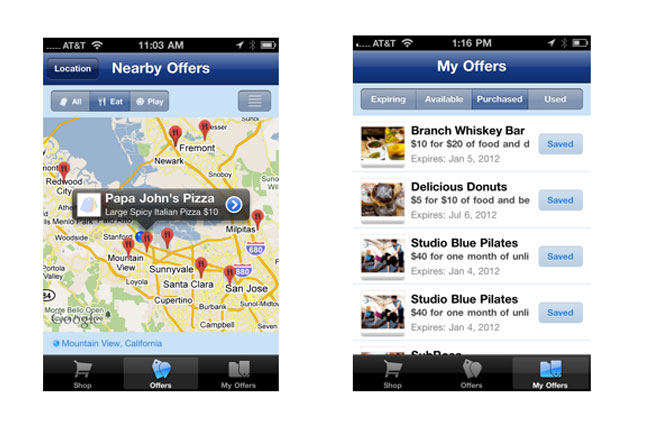
On the homepage displaying local product listings, you can simply choose any one of these products to display all online retailers, eBay, and Amazon vendors who currently have that particular product in stock. You will automatically be given the list of competitive prices to help make your shopping experience much more pocket-friendly. You can customize your viewing experience further as per your needs.
Google Shopper results are highly comprehensive and give you detailed info regarding the product you are searching for, including the product photo, name, prices, rating, along with a compilation of user and expert reviews to make your shopping experience more convenient than ever.
One of its keys to success is its state-of-the-art Image search function which acts as your personal shopping assistant on-the-go. While hunting for products, you can simply point your Android device’s camera at a product bar code, and
Google Shopper will automatically access its database and present you with accurate results highlighting the product info and price. Even without a proper bar code, you can scan a product using your device and it will correctly recognize the product from its appearance and give you an accurate match. The Voice search function runs smoothly as well, and using voice input to search for long, multi-syllabic product names is also a very hassle-free with
Google Shopper. The image recognition system works very impressively, loading accurate search results for a product after just a couple of seconds after your device camera has finished scanning the product. The image and bar-code scanning feature works best when there is good lighting in the room and the camera is held at a proper level to scan the bar codes.
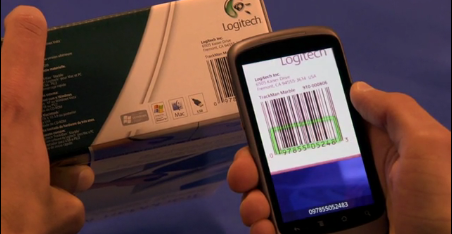 Google Shopper’s
 special “Shopping List” feature allows you to make a list of products that you intend to buy. Once you have finished purchasing a product, you can tick it off this list instantly. It makes it much more convenient to shop when you have multiple products to buy; however, the lack of ability to edit this list once finalized may be a minor inconvenience to the user.
This app is a must-have for all shopping enthusiasts who are looking for a singular platform to meet all their shopping needs.