Music is pretty much the heart and soul of relaxation, enjoyment, stress relief, entertainment and even spiritual upliftment for many of us. Time rages on and technologies revolutionize; however, music has and always struck a chord with our primal instincts and added an irrevocable creative will to our spirit and give us the inspiration to innovate. Now that you can conveniently carry your music collection and explore all new songs on radio wherever you want to go using your smartphone, developers are constantly striving to make breakthrough apps to make your music experience richer than ever. One of these innovative new apps that have caught the fancy of people worldwide is the
Slacker app for the Android platform.
Slacker is essentially a radio app that houses a mountain of music and provides access to gigantic and diverse dimensions of genres that will simply blow your mind. Slacker claims to have almost 2-3 times the music available on other famous and popularly used music streaming apps and radio station Android apps. Not many apps can pull off the accuracy of the music delivered and its user friendly interface and quick streaming that defines the essence of the Slacker app.
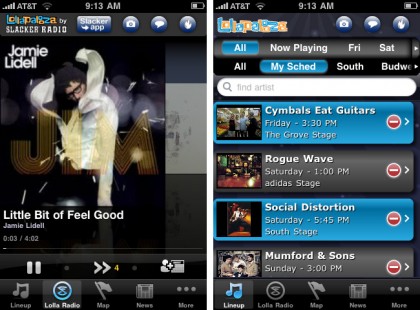
So What Is Slacker All About?
Slacker is a free app and requests you to create an account on the app so that it can track what all you are listening so that it can give up the best results to you when you are streaming music live.
Slacker provides you a huge list of musical choices and all the user has to do is select a song, and artist or a genre to direct you to the station that plays the best music to suit your choice.
How it Works
All of the above information that you keep feeding into the app gives it enough knowledge to build its own custom made playlist for your use.
It streams new music and is a great source for listening to the latest music and for exploring music related to the genres you love.
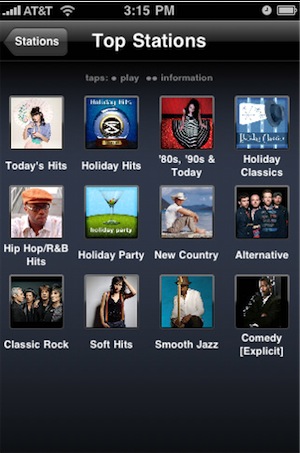
The lists of available music stations and music ranges from
- Search
- Cached stations
- Recently played
- Favourites
- Custom stations
- Slacker spotlight
- Top stations
- Alternative
- Blues
- Jazz
- Classical
- Comedy
- Country
- Electronic
- Dance and Hip Hop
- Hits
- International
- Jazz
- Latin
- Rock
- Spiritual
- Seasonal
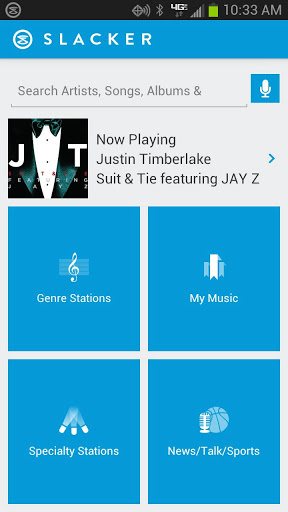
The Search button enables you to simply type down a band or an artist or a genre and it gives you a huge list of everything that comes under the specified search criteria.
Unfortunately, you are permitted only 6 song skips per hour for every station station, which is fairly reasonable considering the level of access to custom stations and user friendliness it extends to you.
You can also cache in stations by registering your account for a 14 day trial and they will be added in the cached tab enlisted for your easy listening. Caching at night is the preferred option as this process is slightly time consuming. Slacker permits to download and listen to music without any monthly limitations.
You can ban tracks and you can click on the heart button signifying your love for the song so that your experience is personalized. Slacker brings up hundreds of expert stations programmed efficiently to give you the best listen to at any time of the day.
Slacker is an ad-free app and saves you the hassle of irritating ads. You can create your own playlists as well and Slacker helps you and adds more songs with its study of your preferences. On downloading songs using the Slacker app, you can also play these songs offline without depending on your Wi-Fi or 3G/4G connection.
Slacker boosts to be one of the best Radio and Music streaming apps in the market and is widely used by a large list of people. With almost a hundred thousand positive ratings and a huge fan base building rapidly, Slacker gets two thumbs up and is a definite must-have music app for radio fans looking for a refreshing and unique music experience.