Although smartphones and tablets are taking the technology market by storm, PCs and laptops are still very relevant and are far from being outdated. The processing power, storage capacity, software power, display size, comfort of the keyboard, etc. are all highly important features for many users who depend on them on a daily basis for work or other purposes. But with the advent of Android smartphones and tablets comes the advantage of portability; portability which can be used to remotely access and control your PC on-the-go via your Android device. The app-inundated Google Play has a list of such apps to choose from. We’ve picked 5 simple to use and secure Android apps that will help you access and control the PC.
We bring you
5 of the best and most easy-to-use Android apps to remotely control your PC via your Android device.
 TeamViewer
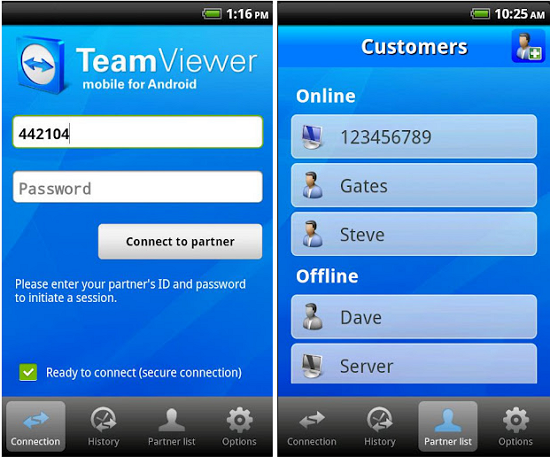
Team Viewer is currently regarded as the most popular desktop remote access tool. The Android version of this tool brings the same dynamic control and user-friendliness to smartphones and tablets. The Team Viewer app is very clear-cut and easy to use. You can easily view and edit the documents on your desktop via your Android device. The keyboard control of your desktop is substituted by simple gesture-based touch controls like tapping, swiping, clicking, dragging, pinching, etc., which give you absolute control over your desktop and the content you are accessing on it via your Android device. Team Viewer also lets you access PCs or laptops using proxy servers and firewalls, and even reboot them via one-touch remote access on your Android devices.
TeamViewer
Team Viewer is currently regarded as the most popular desktop remote access tool. The Android version of this tool brings the same dynamic control and user-friendliness to smartphones and tablets. The Team Viewer app is very clear-cut and easy to use. You can easily view and edit the documents on your desktop via your Android device. The keyboard control of your desktop is substituted by simple gesture-based touch controls like tapping, swiping, clicking, dragging, pinching, etc., which give you absolute control over your desktop and the content you are accessing on it via your Android device. Team Viewer also lets you access PCs or laptops using proxy servers and firewalls, and even reboot them via one-touch remote access on your Android devices.
Android VNC Viewer
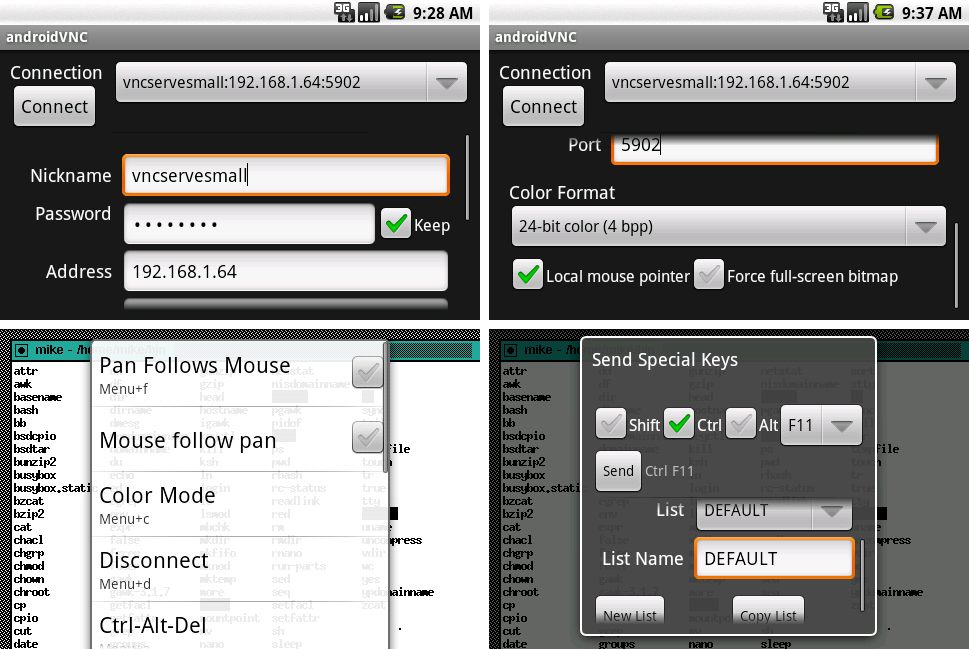
Another smooth performing remote access app popular in the Android community is the Android VNC Viewer (VNC – Virtual Network Computer). To get started, all you need to do is install the VNC software on your PC and download the app from Google Play Store. You can now use the Android VNC Viewer app to log into, view and manage your desktop from your Android device using a 3G or Wi-Fi network. It is an excellent app for controlling fundamental tasks like accessing your computer files and managing the upload and download functions. It can connect to most VNC servers such as the RealVNC, TightVNC, Apple Remote Desktop, etc. The Android VNC Viewer app provides great additional features like multiple connection configurations, multiple input modes, keyboard zoom, etc. It also allows you to transfer setting configurations to a file using your device SD card or URLs.
 Remote Droid
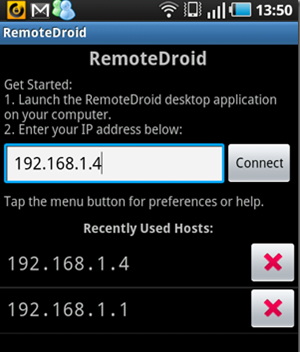
Remote Droid is another highly rated Android app for remote access control. To get started, you first need to download the server app on your PC or laptop, and then download the Remote Droid app from Google Play Store on your Android device. Once you open the app on your Android app, input the IP address that you see and press the “connect” button. It can work on any Wi-Fi network. Remote Droid transforms your Android device into an efficient wireless keyboard and mouse. You can now use your Android’s screen as a touchpad to control your PC using features such as the track ball for mouse control, standard Android keyboards in landscape or portrait mode, etc. You can even adjust your cursor sensitivity and tap speed settings.
 PocketCloud Remote RDP / VNC
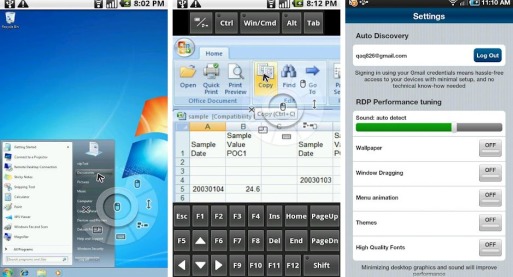
Designed for both Mac and Windows PC or laptop users owning an Android device, PocketCloud Remote RDP / VNC is a nifty application to give you remote access control to your computer over 3G/Wi-Fi/4G networks. PocketCloud needs a really simple setup procedure to connect to your computer. Users who want to connect to a desktop or PC running VNC/RDP can utilize the “Advanced Setup” option to connect using the computer’s hostname or IP address. For office users dealing with vital work-related tasks like sharing and editing spreadsheets, making presentations, etc. in collaboration with their co-workers, PocketCloud is a great and highly effective solution for users requiring remote access, excellent connectivity, and virtualization.
Splashtop Remote Desktop
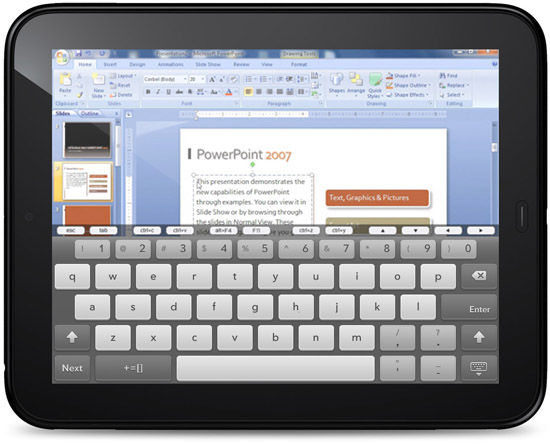
One of the common concerns and complaints made by remote access control users is the fact the problem of consistent lag while using the remote access function. The remote desktop display quality may also turn out to be sub-standard for running several apps. Splashtop Remote Desktop is a great remote access solution which overcomes these problems by opting to stream the desktop of their PCs or Macs directly to your Android device. To get started, you first need to install the Splashtop Streamer software on your computer, followed by downloading the Splashtop Remote Desktop app from Google Play Store which will automatically find your local computer. It works smoothly over 3G/4G/Wi-Fi networks without any hiccups. The high resolution display makes the whole process of remotely managing your desktop files and applications much easier and lag-free.