The Android platform offers a host of travel apps each with unique features that guide you to exactly go wherever you want to go. Adding to this collection is another ingenious virtual companion for your trips named
The Traveler. The Traveler is one such Android app that carries the features of a typical travel app to help tourists as well as localities and adds a great feature to it as well. And that includes sketching the place you just visited. The Traveler is a trip journal combined with a digital sketchbook for the artistically inclined tourists who want to create art on-the-go and remember their journey like never before.
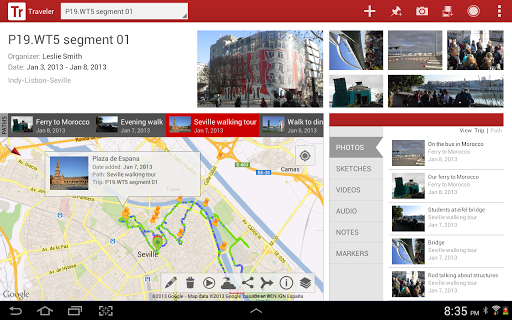
Here are the primary set of features offered by Traveler:
- Recorded audio files
- Captured photos
- Drawn sketches
- GPS tracking
- Short videos
- Quick location markers
All of these well-implemented features allow the user to efficiently plan and organize their own tour without a tour guide using this extremely friendly interface.
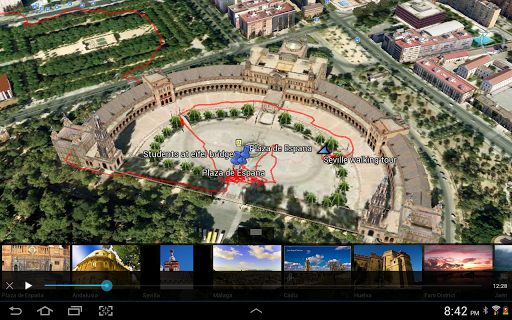
The Traveler allows you to capture a tome of media assets like photos, videos, voice clips, footages, recordings etc. and with Google maps integrated into the Traveler app, the user can retrace their steps as to where they took the last media clipping and know where exactly these files were taken on the way to remember specific locations that were forgotten.
The path can also be played back in Google Earth that provides for a great virtual experience.
The digital sketchbook comes to the fore all the more with the Samsung Galaxy Note devices and the S pen.
Jumping straight into its features:
- The location of the captured video and audio and image will be marked and a marker will be added to the location on the map.
- Use the S pen of your fingers to easily and creatively draw images using the sketch tool integrated within the app.
- Traveler takes you everywhere and you can record these trips even offline.
- Your paths are traced and you can send these to Google using Docs or a spread sheet and maps.
- You can also directly share the images and the other media files taken by you on Facebook and Twitter.
In recent updates to the app, you also have additional features like:
- Google Maps v2 consisting of panning tilt, rotating and 3D buildings.
- ‘Mark’ locations on the map quickly by marking them on the map.
- Integrate your Google account with your profiles on it.
- The quick camera option lets you take photos right from the action bar.
- With the New path options, you can merge multiple paths, track path details and share them with friends and family too.
Additionally, you can take Notes as well and all of which are systematically sorted into easily accessible tabs.
You can view paths traced by others to ease your navigation and these could be multiple paths using different long or short cuts.
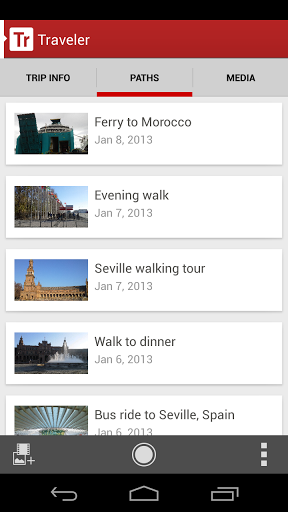
The trip info tab gives you a massive list of places with multiple paths and the Paths tab will in detail enlist various paths across the same area.
Overall, Traveler is a great Android app with a smooth interface that will be a splendid digital tour guide you can carry around in your pocket to make all your trips and adventures easier.