YouTube is the holy grail of video entertainment streaming in the digital realm. It’s a playground for user and corporation-created content that a community of entertainment and education seekers engage themselves in on a daily basis. Now it’s time to take that old school YouTube functionality to the next level and spoil yourself with an app that makes those lazy Sundays even lazier, but a lot more fun for YouTube fans. Say hello to
YouTube Remote.
With its uber cool prowess in the technical world, Google showcases what it does best with this brilliant remote control of a unique kind. We do know of the general remote control that we use on our television sets but what about the one that controls all you videos, all of which only you would like to watch.
That’s where this ingenious creation by Google Inc. steps in. After establishing YouTube as one of the biggest video streaming engines of all time years ago, it went ahead and created what would make life all the more easier while using it.
We are all aware of how YouTube functions with subscriptions subscribed to by its users.
Further, the advanced YouTube analytics engine studies what you view the most and analyses varied genres of the kind of videos you like to watch. It then gives you suggestions based on the above.
YouTube Remote functions exactly the same way and makes YouTube video viewing much easier.
But where does the remote aspect come into play?
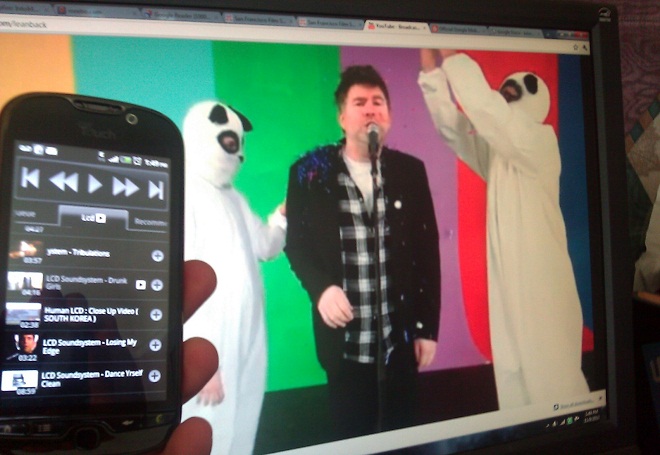
It’s simple. Sync your Android device with your mobile phone by doing the following:
- Visit youtube.com/leanback on your computer or TV
- Navigate down to the My YouTube – Pair with mobile device
- Once you sync your phone with your Android device, you are good to go.
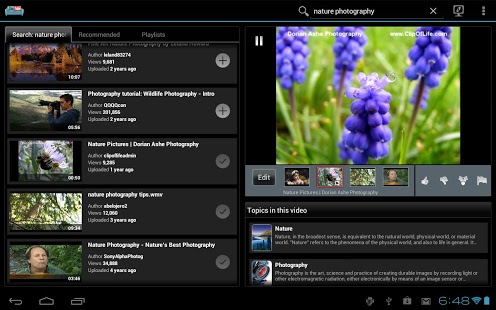
As mentioned earlier, YouTube studies what you like the most and this is what it depends on to give suggestions on this Android app.
It includes lists where you can scroll from and each list there are videos that are based and come up depending on your preference. It is outstandingly easy to use and you have nothing to worry about as what you want to see has already been detected in the category and it as though watching your favorite shows in short video formats on TV. Additionally, you can search for something you want to watch just like you do on YouTube.
You can also add screens and then select which medium you want to view videos on when you’re busy watching TV on your lazy weekends. You must of course sign in to your Google account to view and comment on the videos as per the new YouTube policy changes.
The YouTube remote app enhances the functionality of your Android device as an entertainment avenue by letting you use it as a remote control.
Further to that, it also gives you details of what is playing on the screen. Ever seen such a thing on you regular remote?
That’s right the YouTube Remote app is a digital remote control that displays all of what is important to you. It gives you fine details like the length of the actual movie whose trailer you are watching. The IMDB reviews, the ratings, etc. The cast is also visible in a list below.
Similarly, you can also access vital information is visible for other videos listed in the menu.
View everything you want from:
- News and Politics
- Blogs and reviews
- Science and Tech
- How to style
- Pets
- Education
- Most popular searches
- YouTube searches
- Music
- Film
- Animation
- Entertainment
….and a whole lot more.
Spoil yourself with this ultimate remote control for your favourite video streaming platform and bask in the glory of the most refined digital experience on the palm of your hands. Buy it now from Google Play Store today and make your entertainment more convenient to access than ever before!