

 Step 2) Tap the apk file on your phone to install it like you would install any apk file
Step 3) Once it’s installed, open the application
Step 4) Tap the “Grind” button in the app to automatically root your phone
Step 5) Reboot your device
Step 6) Download SuperSU from the Google Play Store (it’s free) and let SuperSU update its binaries
Step 7) Reboot your phone one more time
That’s it! You’ve successfully rooted your LG G3. There is some bad news, however: neither TWRP nor CWM are available for the LG G3 at this time, which means you don’t have a good custom recovery app.
You can, however, still enjoy a number of other rooted Android features, like Xposed and Titanium Backup. Since the LG G3 is a popular new device, CWM or TWRP should be released for the device in the very near future.
https://www.youtube.com/watch?v=A8XeER-AEkA
Update: TWRP is reportedly available for the T-Mobile LG G3. Download that version here.
Anyways, rooting with Stump Root is very easy. Just download that APK file onto your phone and run it.
Step 2) Tap the apk file on your phone to install it like you would install any apk file
Step 3) Once it’s installed, open the application
Step 4) Tap the “Grind” button in the app to automatically root your phone
Step 5) Reboot your device
Step 6) Download SuperSU from the Google Play Store (it’s free) and let SuperSU update its binaries
Step 7) Reboot your phone one more time
That’s it! You’ve successfully rooted your LG G3. There is some bad news, however: neither TWRP nor CWM are available for the LG G3 at this time, which means you don’t have a good custom recovery app.
You can, however, still enjoy a number of other rooted Android features, like Xposed and Titanium Backup. Since the LG G3 is a popular new device, CWM or TWRP should be released for the device in the very near future.
https://www.youtube.com/watch?v=A8XeER-AEkA
Update: TWRP is reportedly available for the T-Mobile LG G3. Download that version here.
Anyways, rooting with Stump Root is very easy. Just download that APK file onto your phone and run it.
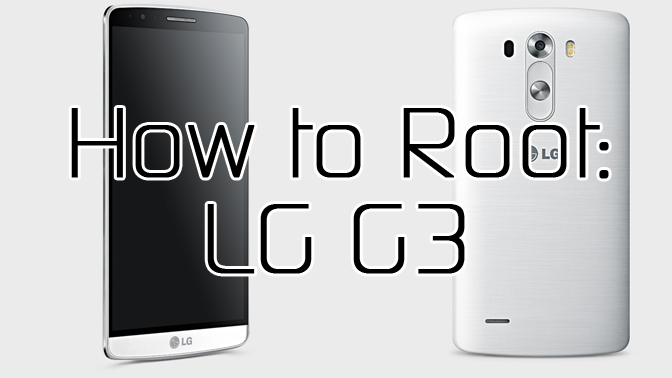
How to Easily Root the LG G3 by Downloading a Single APK
2 min read
The LG G3 is one of the hottest new Android devices on the planet.
Today, I’m going to show you how to easily root the LG G3 by downloading a single APK file.
This root method comes from renowned exploit professional @TeamAndIRC (also known as Justin Case). It works on LG G3s from all major carriers, including Sprint, T-Mobile, Verizon, and AT&T.
Here are the step by step instructions:
Step 1) Download Stump Root APK from here (it’s free and a simple .apk download).
Step 2) Tap the apk file on your phone to install it like you would install any apk file
Step 3) Once it’s installed, open the application
Step 4) Tap the “Grind” button in the app to automatically root your phone
Step 5) Reboot your device
Step 6) Download SuperSU from the Google Play Store (it’s free) and let SuperSU update its binaries
Step 7) Reboot your phone one more time
That’s it! You’ve successfully rooted your LG G3. There is some bad news, however: neither TWRP nor CWM are available for the LG G3 at this time, which means you don’t have a good custom recovery app.
You can, however, still enjoy a number of other rooted Android features, like Xposed and Titanium Backup. Since the LG G3 is a popular new device, CWM or TWRP should be released for the device in the very near future.
https://www.youtube.com/watch?v=A8XeER-AEkA
Update: TWRP is reportedly available for the T-Mobile LG G3. Download that version here.
Anyways, rooting with Stump Root is very easy. Just download that APK file onto your phone and run it.
Step 2) Tap the apk file on your phone to install it like you would install any apk file
Step 3) Once it’s installed, open the application
Step 4) Tap the “Grind” button in the app to automatically root your phone
Step 5) Reboot your device
Step 6) Download SuperSU from the Google Play Store (it’s free) and let SuperSU update its binaries
Step 7) Reboot your phone one more time
That’s it! You’ve successfully rooted your LG G3. There is some bad news, however: neither TWRP nor CWM are available for the LG G3 at this time, which means you don’t have a good custom recovery app.
You can, however, still enjoy a number of other rooted Android features, like Xposed and Titanium Backup. Since the LG G3 is a popular new device, CWM or TWRP should be released for the device in the very near future.
https://www.youtube.com/watch?v=A8XeER-AEkA
Update: TWRP is reportedly available for the T-Mobile LG G3. Download that version here.
Anyways, rooting with Stump Root is very easy. Just download that APK file onto your phone and run it.
Newsletter
Get the latest tech news delivered to your inbox weekly.