You already know how One Click Root feels about rooted Androids. But in case you didn’t: they’re awesome. Rooted Androids allow you to use your device in ways you never thought possible. You can host a web server and backup every part of your device.
Basically, rooting Android allows you to use your device to its full potential without any real negative benefits. Did you just root Android? Or are you thinking about rooting Android? Here are some of the world’s best rooted Android apps to help you make your decision:
6) Full! Screen
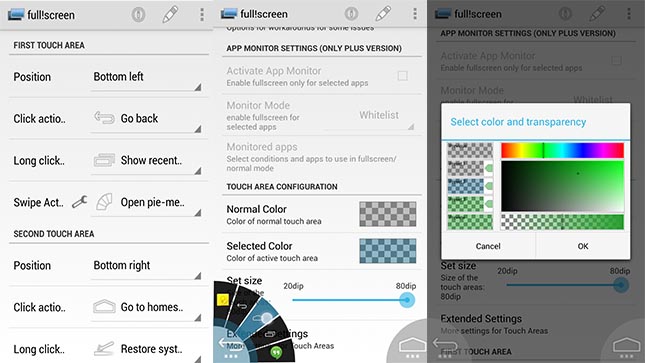
Your Android probably has a big screen. But why not make that screen even bigger? With Full! Screen, you can easily expand your screen size by removing the notifications bar and soft buttons along the bottom of your screen. It expands screen size by a few tenths of an inch on most phones and you can easily activate it and deactivate it with the press of a button. If you’re the type of person who wants to use every last inch of screen space on your device and don’t want to waste that screen space on a notifications bar, then the Full! Screen app is an excellent option for rooted Android users.
Download Full! Screen for free here
5) Tasker
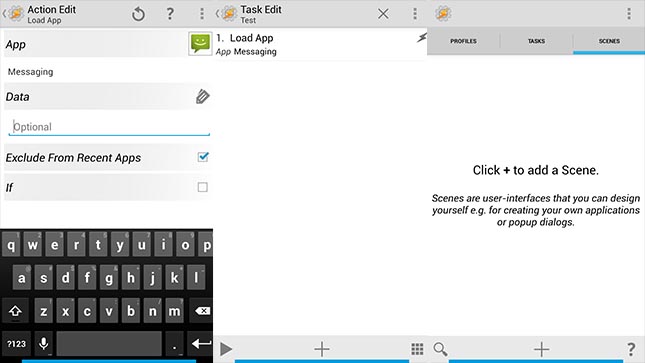
Taker is easily the most powerful rooted Android app available today simply because it allows you to do so many cool things with Android. Basically Tasker allows you to schedule an unlimited number of tasks that occur every few seconds, every few minutes, or when an action is performed.
You can tell Tasker to check your email every hour or so, for example, in order to save battery life and become more productive. Or you can tell Tasker to activate your flashlight app when your alarm goes off in the morning. There are lots of cool things you can do with Tasker and most users will only scratch the surface of this app’s functionality.
Tasker is surprisingly simple to use. Recent updates have opened Tasker up to a wider range of users, making it easy for anyone to jump in and start creating important tasks.
4) Juice Defender Ultimate
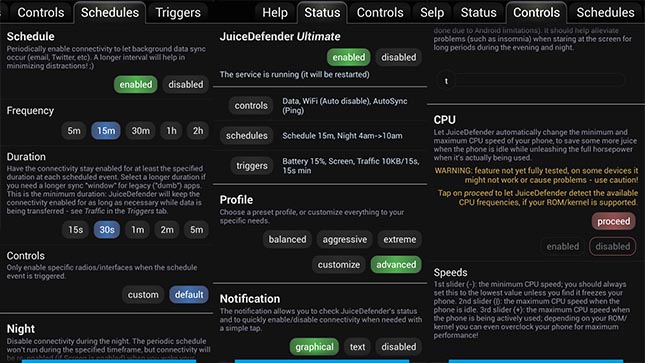
You’d be hard pressed to find a smartphone user who is totally happy with their handset’s battery life. That’s why I like Juice Defender Ultimate, which turns your phone from a battery zero to a battery hero. With Juice Defender Ultimate, you can literally save hours of battery life on your device by making a few minor tweaks. A lot of battery saving apps work with non-rooted Android devices, but to truly maximize battery power, you’ll want to
install a rooted Android app like Juice Defender Ultimate.
3) Titanium Backup
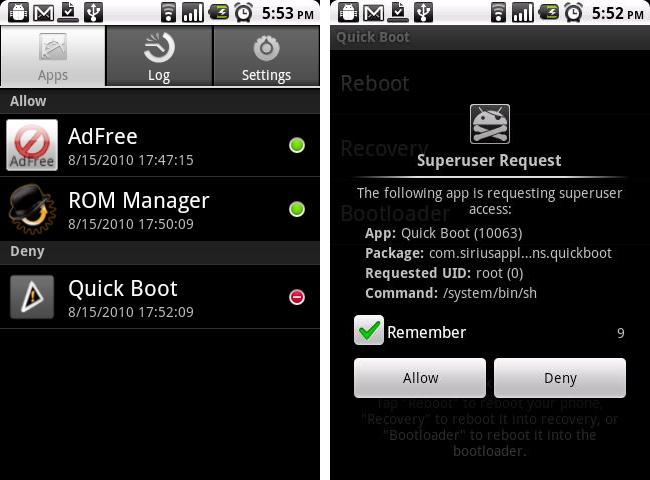
Titanium Backup is right up there with ROM Manager for MVP of the rooted Android apps world. Titanium Backup allows users to back up every single part of their Android device and restore everything when anything goes wrong. You can also freeze apps with Titanium Backup and prevent them from running in the background. Titanium Backup is the world’s best Android app but it also does so many other things that you’re going to get a ridiculous amount of use out of it (
you can use it to instantly uninstall bloatware, for example).
2) Superuser
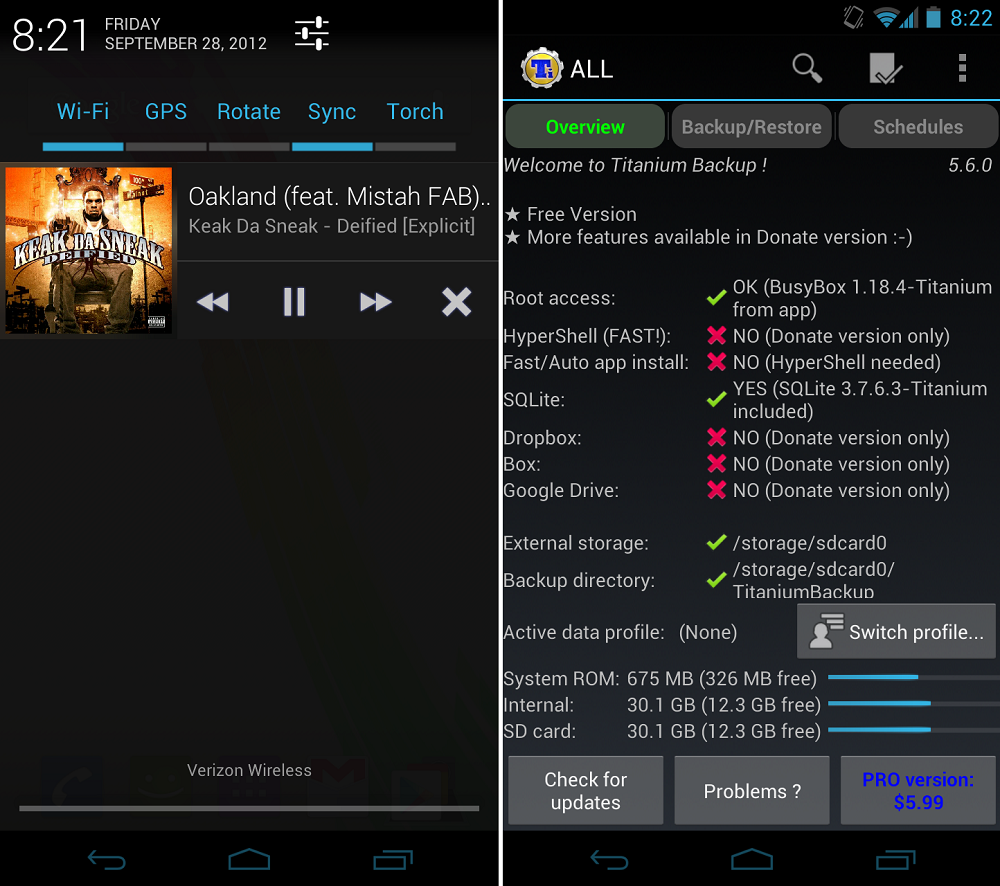
The prolific app developer who created ROM Manager also created Superuser. Superuser is a simple but effective app that grants superuser permissions to your Android apps. Once you root your device, that doesn’t automatically mean all apps have root Android access. You need to install Superuser and grant superuser permissions to all apps that need it.
Superuser has plenty of other functions as well, like removing permissions for unwanted apps and changing themes and keeping logs.
1) ROM Manager
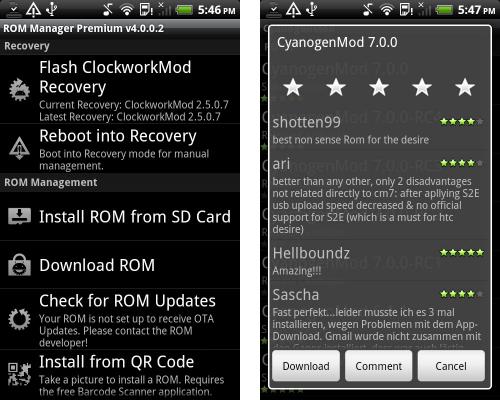
If you have a rooted Android without ROM Manager, then what are you doing with your life? ROM Manager is one of the most essential apps for rooted Android users. It’s the easiest way to install ClockworkMod Recovery and it has tons of other features that simplify the process of using a rooted Android device. The most important thing you can do with ROM Manager is install new custom ROMs that change the appearance of your device and the entire user interface. Trust me: this is one of the first apps you’ll
want to download for your rooted Android.
Honorable mentions
There are plenty of fantastic apps designed to cater solely to rooted Android users. Those apps include:
-Greenify (powerful battery life savings)
-Root Explorer (browse every file on your Android device using an easy Windows Explorer-esque interface
-ROM Toolbox Pro (all-in-one rooted Android tool; download ROMs, install backups, manage apps, and more)