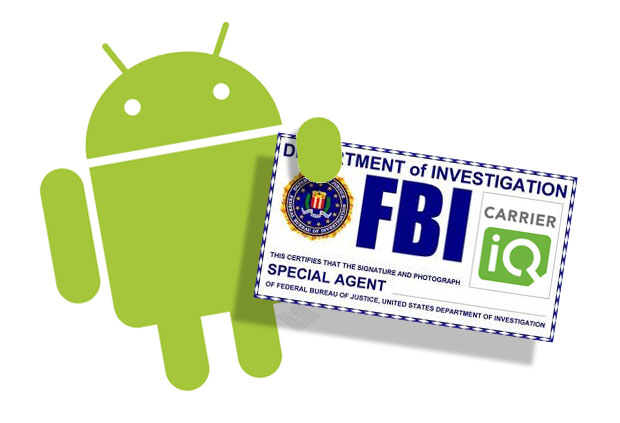
You don’t have to believe in conspiracy theories to understand the dangers of Carrier IQ. Carrier IQ is a dangerous application that monitors the keys you press on your handset, the apps you download, and everything else you do over your phone.
Sounds scary, right? You might think Carrier IQ would be a virus or spyware program. But you would be wrong. Carrier IQ is deliberately installed on Android smartphones by providers like AT&T and Sprint. Apple also preinstalls Carrier IQ directly into the code of all its iPhones.

Carrier IQ isn’t one of those apps that you can simply uninstall. In fact, it’s not really an app at all. Carrier IQ is a hardwired into the deepest files of your Android smartphone, and there is only one way to remove it: root your Android device.
Why do AT&T, Sprint, and Apple install Carrier IQ on their smartphones?
Carrier IQ is constantly stealing information from your phone. It monitors which keys you press, which apps you download, and other actions you perform on your phone. Fortunately, the goal of Carrier IQ isn’t to steal your banking passwords or your identity. Instead, Carrier IQ steals your information and sells it to carriers and other agencies.
The company behind Carrier IQ is also called Carrier IQ, and it’s not a secretive company. Based in Mountain View, California, Carrier IQ’s official website can be found at https://www.carrieriq.com/. The website claims that Carrier IQ is designed to show mobile network operators greater “understanding on how their network and mobile devices were really performing in the eyes of consumers.”

If you read between the lines of this statement, found here, you’ll recognize Carrier IQ is nothing more than a dressed-up piece of spyware designed to monitor data that carriers were not able to monitor in the past. The technology can be used by mobile networks, government agencies, and law enforcement officials to monitor everything you do over your phone. If that concerns you, then you’ll want to remove Carrier IQ as soon as possible.
Which smartphones do not have Carrier IQ?
Android smartphones bought from AT&T and Sprint have Carrier IQ installed. As do all iPhones sold by Apple. However, some carriers and phone manufacturers have pledged never to install Carrier IQ on their devices, including:
-Nokia
-RIM (makers of the BlackBerry)
-Most European carriers, including Vodafone, Three, and Orange
-Microsoft and Windows-based phones
In short, Carrier IQ is mostly only a problem for American smartphone users who work with AT&T, Sprint, and Apple. It is rarely found on Android smartphones sold outside of North America.
Carrier IQ’s actions have drawn criticism from smartphone users across America. Carrier IQ has been
accused of violating wiretap laws and the privacy of citizens. In short, it’s not a program that you want on your smartphone.
How to remove Carrier IQ and protect your information
Removing Carrier IQ isn’t as hard as you might think. However, it does require you to root your Android device. Today, rooting Android has never been easier. Using a
program like One Click Root, you can access your rooted Android phone in just minutes.
Rooting Android helps your device break free of the chains that tie it down. It gives users ‘root’ access to the system and allows you to install custom ROMs, new apps, and all sorts of other exciting tools. And of course, it also completely removes Carrier IQ from your system.
If you want carriers to stop spying on you while you use your phone, then root your Android device today. Since Carrier IQ is hardwired into the Android operating system on carriers like AT&T and Sprint, rooting your device is the only way to be sure that the spyware has been completely removed.
Here’s a step by step guide to removing Carrier IQ from your Android smartphone:
Step 1)
Click here to download One Click Root software now
Step 2) Connect your Android smartphone to your computer using your micro USB cord
Step 3) Run the One Click Root software and allow it to complete the rooting process
Removing Carrier IQ from an iPhone
Android users root their devices to remove Carrier IQ. Apple users can sometimes disable it from their settings menu by going to Settings > General > About > Diagnostics and Usage, and then by unchecking “Don’t Send” on that menu. Unfortunately, this doesn’t actually remove Carrier IQ from iOS – it just temporarily disables it.

To completely remove Carrier IQ from your iOS device, you’ll need to jailbreak it. This will install a new operating system on your phone, deleting the old iOS files and the hardwired Carrier IQ app in the process.
Ultimately, the easiest way to avoid Carrier IQ is to buy smartphones that don’t have Carrier IQ pre-installed. If you’re concerned about your personal privacy, avoid buying smartphones from Sprint, AT&T, Apple. Nobody likes to be spied on, and if you’re like most people, then you have some pretty personal stuff on your phone.
To root your Android device and remove Carrier IQ today, download the powerful and easy-to-use
One Click Root software!