Since we are increasing becoming dependent on our smartphones and apps have started solving our problems than any other thing, the next natural step in the innovation genre was the creating of apps for apps. Confused? Well, there are mobile applications for our smartphones and then there are mobile applications for our mobile applications. The use of apps has become so extensive that this tiny icons that aid us need aid themselves.
Therefore, if you have rooted your android device and if WhatsApp is the be all and end all of your existence, today’s article is perfect for you because it is about an app called
Whats-Widgets. Whats-Widgets are two Homescreen-Widgets for WhatsApp, one widget lists WhatsApp Messages Widget and the other is the WhatsApp Online / Offline Toggle Widget.
List WhatsApp Messages Widget:
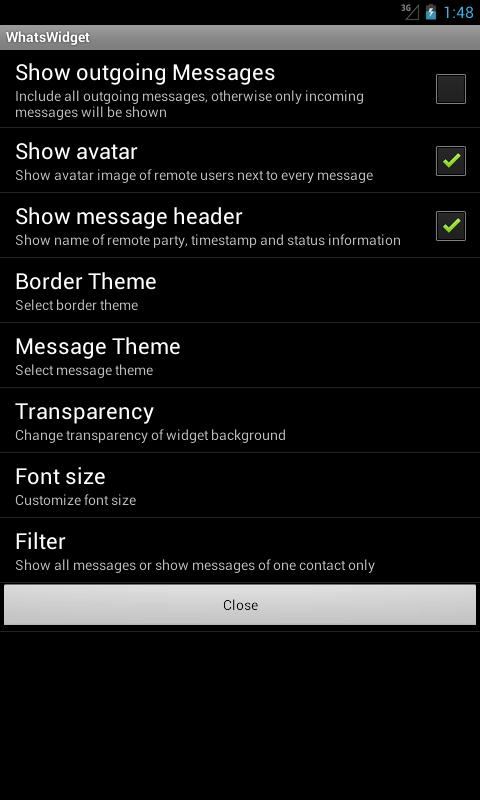
- Put one or more WhatsWidgets on your home screen to see all your WhatsApp messages directly on your home screen.
- You can filter for a single contact, so you can have one widget for each of your best buddies.
- Widgets can be resized and support scrolling (Android 3.x up).
- Many different themes and layout options!
- Quick-Reply function directly out of the widget!
WhatsApp Online / Offline Toggle Widget:
Now it's easy to go offline in WhatsApp if you don't want to be disturbed. Simply click on the Widget and WhatsApp will disconnect from the server.
- You won't receive any more messages and your "Last Seen" date will freeze. You can still write messages but they will actually not get sent.
- All pending incoming or outgoing messages will be received or sent as soon as you click the Widget again to go online.
- All this is totally independent of your internet connection. You can still use the internet in all other apps while you are offline in WhatsApp.
A few more things about
Whats-Widgets are:
- This free demo version will show ads and also limits the amount of space for List Widgets.
- You can buy our "Unlocker App" in order to unlock the widgets and get rid of the ads!
- In order to use this App your phone or tablet has to be “Rooted".
- You need WhatsApp installed to use this application.
- Supports all phones / tablets from Android 2.1 up.
- Widget-Scrolling is only supported from Android 3.0 up
- Emoji / Smileys will show up in Android 4.1 and up
- If you have an older android version, you could try to install Emoji-Enabled font on older Androids.
Whats-Widgets is a very useful app as it helps in organizing one of the most popular an useful apps ever created - WhatsApp. Today’s world cannot be imagined without WhatsApp, not only has it made communication easier across global distances, it has even made it extremely affordable.
One can go on and on chatting to someone at the other end of the world, all you need is a good internet connection. Therefore,
Whats-Widgets helps in making even better use of the wonderful WhatsApp!