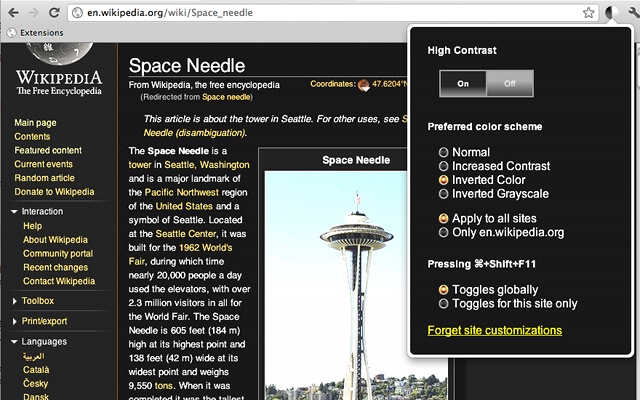
Today, most websites – including this one – use black text on a white background. Sites are designed like this because they look good and our eyes are used to reading that kind of text. After all, throughout history, most books have been printed using dark text on a light background.
But we’re going to give you a few reasons why you should consider reversing millennia of history and invert your Android’s black and white contrast.
It saves your eyes
If you use your Android in a dark room, then your eyes have to struggle to figure out what’s going on. Your pupils dilate to let in more light when it’s dark, but contract when they encounter the darkness of the surrounding room. When you’re using any screen in a dark room, your eyes stage a constant battle to keep up. And eye strain is bad.

By switching your black and white colors, your eyes will have an easier time adjusting to your Android screen at night. Your pupils won’t have to dilate and contract and you won’t end up with a painful headache. Even if you’re not reading your Android in a pitch black environment – like your bedroom at night – inverting the contrast can help your eyes in even slightly dim environments.
It saves your battery life
Your eyes will really only benefit if you regularly use Android in a dark environment. Otherwise, the primary benefit of inverting Android’s contrast is to save your battery life. Your screen doesn’t have to work as hard to display blackness as it does with whiteness. By inverting screen rendering, you’re taking a significant load off your battery because your Android doesn’t have to keep the screen as brightly lit.
How to invert Android rendering
If those two benefits listed above have convinced you of the benefits of Android black and white inversion, then here’s how to activate it in Android 4.1 Jelly Bean:
Step 1) Go to your Settings menu (slide down the notifications shade and tap the gear icon)
Step 2) Tap on
Accessibility
Step 3) Set up your Accessibility menu to look like this:
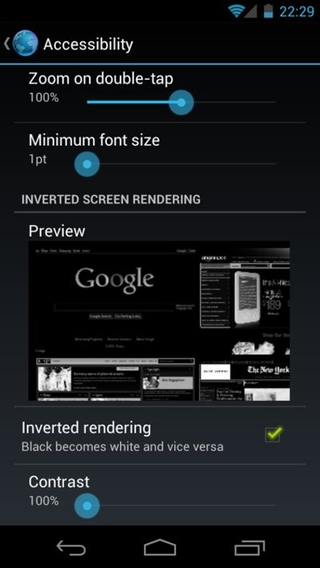
Note that the Contrast option has been turned to 100% and the Inverted rendering checkbox has been ticked.
That’s it! Your websites will now appear as contrasted versions of themselves, saving your eyes – and your battery life – while making every website on the internet look like it’s been sent in a time machine back to 1998.