On most days of the week, my Galaxy S3 is a glorified Facebook and Twitter browsing device. And if you’re like me, then you hate dead Android batteries.
Well, if you check the services that take up the majority of battery life on your phone, you may be surprised to discover that Facebook and Twitter are leading the way in terms of battery life drainage.
A writer over at TechHive.com decided to look more deeply into the issue of Facebook and Twitter battery life usage on Android and show users how to easily increase battery life without sacrificing usability.
Here’s what we’ve learned:
-Facebook and Twitter’s high battery usage is due largely to the fact that both services want to ping you as soon as you receive a direct message, mention, friend request, notification, etc.
-The apps are constantly waiting to update you on the latest happenings on Facebook and Twitter, which means they need to frequently check Twitter’s servers and Facebook’s servers
-The best way to instantly increase battery life is to uninstall your Twitter and Facebook apps and access both services over your browser
That’s right: if you really want to increase Android battery life, you’ll need to uninstall Facebook and Twitter. But that doesn’t mean you can’t have instant access to your favorite social networks.
How to save Android battery life while still using Facebook and Twitter
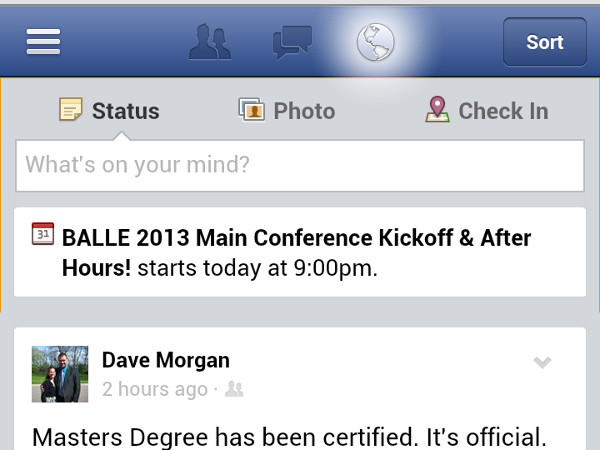
Your battery will appreciate it if you uninstall your Facebook and Twitter apps and instead open your browser and bookmark Facebook and Twitter. Before you start complaining about a lackluster mobile interface on both Twitter and Facebook’s sites, that’s not really the case anymore. Both Facebook and Twitter’s mobile sites look very similar to their mobile apps:

I know what you’re thinking: you don’t want to open your browser and navigate through your bookmarks every time you need to check Twitter or Facebook. But here’s where the beauty of this plan comes into place:
you can create a bookmark shortcut on your homescreen that, for all intents and purposes, will function the same as your old Facebook and Twitter app links.
To add a Chrome bookmark to your homescreen, you’ll need to bookmark the page, then navigate to the bookmarks bar and ‘tap and hold’ the bookmark and choose ‘Add to Home Screen’.
Adding message notifications
As you may have already realized, Facebook won’t automatically send Android notifications to your phone if there’s no Facebook app installed. But what if that girl you like sends you an important message and you need to respond as quickly as possible?
To add message notifications, go into the Facebook and Twitter settings menu and look for the notifications section. There, you’ll be able to choose when Facebook and Twitter send notifications to your email inbox. As long as you get email on your phone, you can be instantly notified via email when someone sends you something important on Facebook or Twitter.
It’s a minor inconvenience for significant battery saving powers. If you’re sick of your Android running out of juice just before you get on the train home at the end of the day, then this is an easy fix.