From the makers of the Beautiful widgets app, you have the ultimate Twitter client for all you Twitterattis and tweeple who can’t live without tweeting every hour. Plume is a Twitter app for the Android platform that has a feature packed and solid interface. You have full proof of this especially if you have used the Beautiful Widgets app. The app named Plume, which was formerly known as Touiteur, has now come to be known as Plume and promises to take you on a journey that will leave you tweeting even If you aren’t an ardent social media fan.
The interface is designed to display multiple features on your Twitter time line. These include things like the main Twitter feed that is consistently updated over each second. Here you also can add in the direct messages that you receive, add in the @mentions when you get shouted out by someone, the new followers category where you can see who your follower have followed and who you follow have followed.
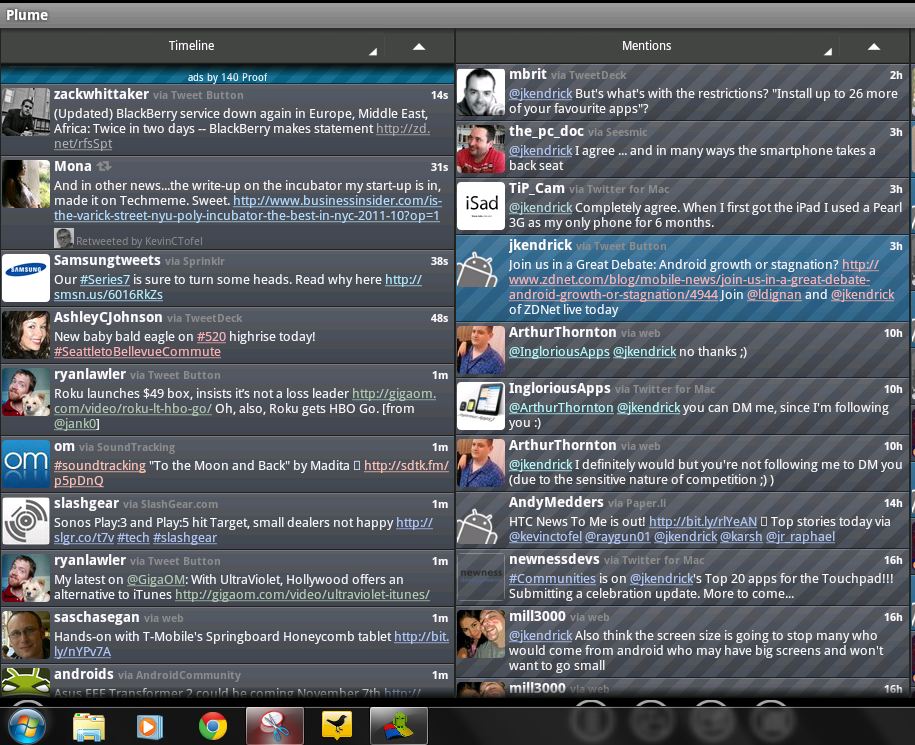
There then also is the favorites tab where you can see a list of all the tweets that you have favorited. This comes in a straight line in vertical bars alongside the rest of the input features above.
These are placed efficiently and all of them give you real-time updates as and when a tweet hits your feed or when you get followed.
The Plume app is available in two major skins that make your screen look either fully black or fully white. Both of which look pretty good to look at and fun to use, the app Plume has a lot more integrated to it.
The famous feature on the iPhone of multiple twitter accounts is bought to Android through Plume, where all you have to do is log in and the option on the app helps you switch almost instantaneously.
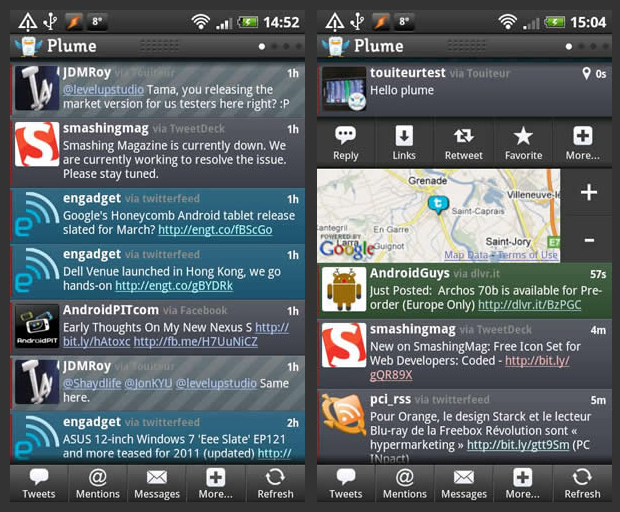
All of the main features of the app appear to the left, whether you use it on a smartphone or a tablet.
Its sleek and simple interface includes the following options:
- Home
- Search
- Favourite
- Trends
- Lists
And ahead of these basic options, you can add and directly skip to different columns ranging from:
- Time line
- Facebook
- Mentions
- Tweets
- Favorites
Below that, you have the accounts bar where all you have to do is click on the click on the account that is reflected via the do and you are set to go.
In the middle of all of this, you can simply compose a tweet straight form the top by clicking on the box and you can also additionally refresh your timeline to see the new set of tweets in case the Plume app doesn’t auto refresh.
You can also see a preview of the tweet by clicking on it on your tablet so that it appears in large to your left.
Don’t forget to try out the home screen widget where you can have a preview of your time line without even entering the app.
The Plume app though is compatible only on Android 4.2 and above.
With a solid 4.2 star rating on Google Play Store and over 32,000 straight 5-star ratings, you know Plume is up there with the top performing apps and will prove to be a handy Twitter client in your arsenal.