


Tweeple, as we all know by now, is a term associated with people who belong to the ever-chirping social community known as Twitter. Twitter is a site that takes creativity to a new level but restricts ideas of people to 140 characters only. For those wondering why a limitation on your expressions is a good thing, this is exactly the feature that has helped Twitter carved a niche in the social networking business and facilitated an interesting way for people to manifest their imagination.
In a nutshell, Twitter is that new kid on the block that is redefining dissemination of information and is open to the opinion of all. It is a micro blogging site that allows users to express their views in a few short sentences. To add to the entertainment of micro-blogging, Twitter uses its indigenously created hashtags that were in fact first implemented by a user back in 2007. These hashtags with ‘#’ followed by short sentences or words representing brands or ideas on the whole e.g. #socialmedia, #marchmadness, #NBA, #superbowl, #takemeout, #whatimissmost etc.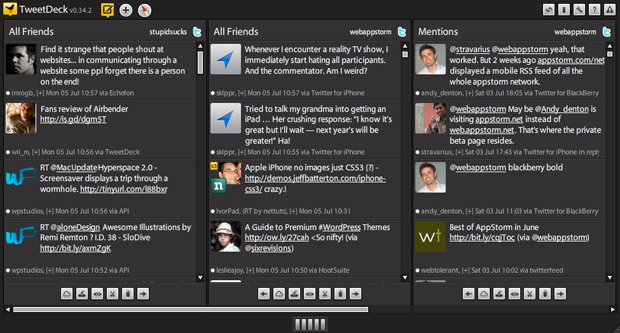 One can mention a particular user or follower with ‘@’ followed by the name of the person. A user can add pictures, links to other sites or posts or offers in case of brands etc. to make a 140 character tweet more exciting and readable.
Now that we have a clear idea of what Twitter is all about let’s move straight into an app that assembles every single activity on Twitter in a customized page with live feeds based on all what is happening on Twitter at that particular time for the user – TWEET DECK
TweetDeck is an app that uses an algorithm to combine all the happenings around your social profile majorly on twitter. It extends its social feeds to involve your respective accounts from Facebook, Buzz and Foursquare as well.
A tab with the ‘logged in’ username is saved on the home screen and the user can access multiple accounts all at one time.
As you can observe the four different colors alongside on the second screen respectively represent :
One can mention a particular user or follower with ‘@’ followed by the name of the person. A user can add pictures, links to other sites or posts or offers in case of brands etc. to make a 140 character tweet more exciting and readable.
Now that we have a clear idea of what Twitter is all about let’s move straight into an app that assembles every single activity on Twitter in a customized page with live feeds based on all what is happening on Twitter at that particular time for the user – TWEET DECK
TweetDeck is an app that uses an algorithm to combine all the happenings around your social profile majorly on twitter. It extends its social feeds to involve your respective accounts from Facebook, Buzz and Foursquare as well.
A tab with the ‘logged in’ username is saved on the home screen and the user can access multiple accounts all at one time.
As you can observe the four different colors alongside on the second screen respectively represent :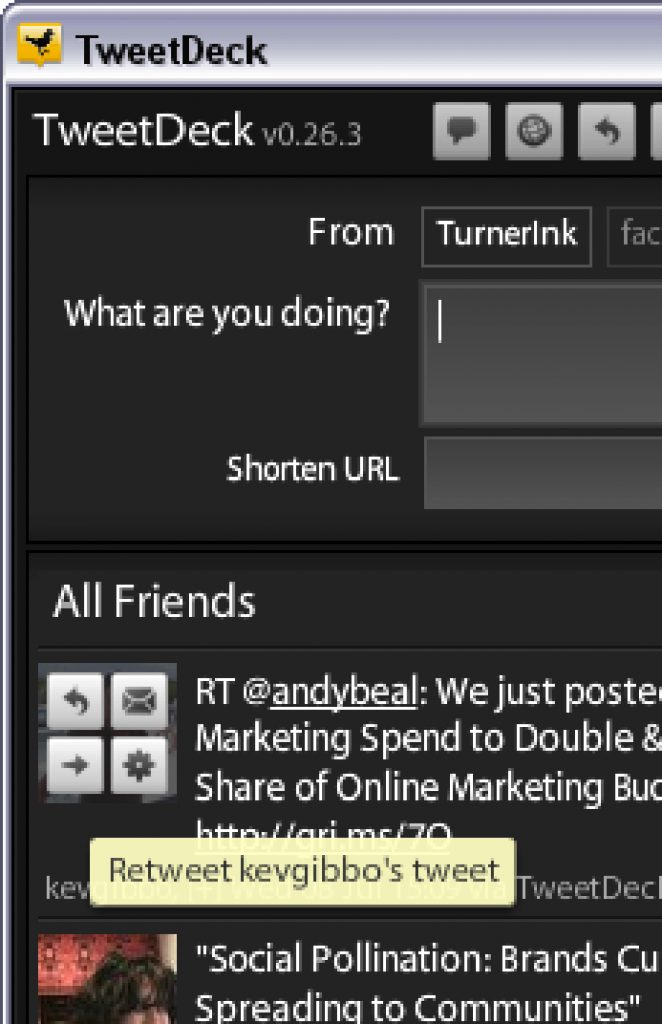
- Foursquare
- Buzz
- New tweet – A new 140 character composition with options to add a picture/ link
- Display options – This Is an extremely imperative tab that enables you to access everything there is of yours on twitter viz. Timeline, interactions, @ Mentions, Search, List, messages, Trends, Tweets, Favourites, Activity, Home, Me, Inbox and the scheduled tweets. That’s right TweetDeck lets you schedule tweets for future purposes in case you may not have access at a later stage.
- Search: Helps you search people, brands, communities, hashtags etc.
- Discover: Enables the user to search for trending hashtags, self-made hashtags.