One of the weirdest parts about rooting Android is that your phone feels exactly the same before and after rooting.
After rooting, your phone boots to the same homescreen and, at first glance, it appears that nothing has changed.
Rooting won’t instantly change your device, but it will let you download apps that instantly change your device. Today, we’re going to tell you about the most important apps to download immediately after rooting your device.
Whether you’ve just rooted your Android handset or you’re considering a root, these are the 5 most important apps to install on your rooted Android:
1) Root Checker
If you downloaded an automatic rooting software
program like One Click Root, then your phone is almost definitely rooted. However, if you followed an obscure online guide, then it can be more difficult to tell whether or not your phone has been rooted.

That’s why Root Checker is one of the first apps many people download. Root Checker
is a free app that will simply check whether or not your device has root access.
Once you run the app, it will tell you whether it has found root system admin access. If root access has been found, then Root Checker will give you detailed information about the root, the location of the root, and more data about the build of your handset.
If you’re unsure whether or not your phone has been rooted,
you need the Root Checker app.
2) Clockwork Mod (CWM)
It’s tough to find a list of the best Android rooting apps that doesn’t include Clockwork Mod (CWM). Clockwork Mod is a recovery app that lets you access your Android’s recovery mode.
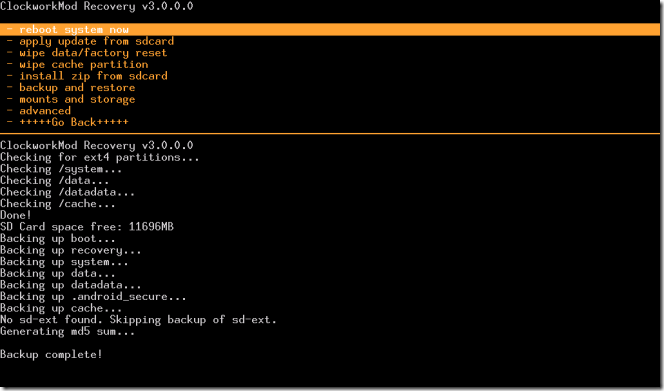
Recovery mode lets you install custom ROMs, new apps, and even backup every byte of data on your device. It’s an incredibly useful program and it gives you full control over your rooted Android handset.
CWM isn’t as user-friendly as some people would like, which is why it’s a good idea to read through a few CWM tutorials before you mess around too much.
To download CWM, you’ll first need to
install ROM Manager, which will flash Clockwork Mod onto your system for you:
https://play.google.com/store/apps/details?id=com.koushikdutta.rommanager
3) Root Browser
On an unrooted Android device, the file manager only shows you a few basic files and folders. It doesn’t give you any details about the core files on your device, which is frustrating if you’re trying to do something more than just move around pictures and song files.
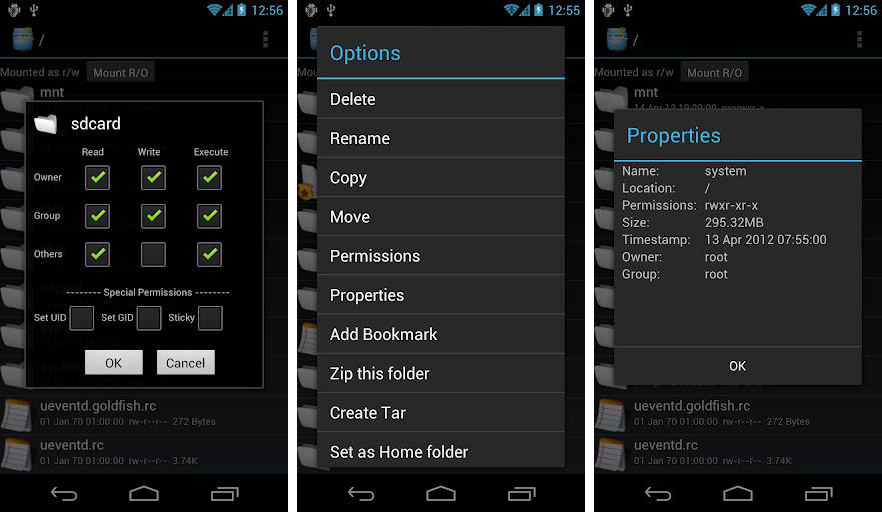
That’s why you need a good file explorer app.
Root Browser is one of several popular file management apps for rooted Androids. It does as good a job as any o
ther file management tool and lets you organize your files, create zip files, and change the read/write/execute permissions of everything on your device. It also has an easy interface.
Download Root Browser here: https://play.google.com/store/apps/details?id=com.jrummy.root.browserfree&hl=en
Titanium Backup Pro
You have a lot of important data saved on your Android device. Why risk losing all that data when your phone crashes? With Titanium Backup Pro, you can safeguard your device against any worst case scenario that comes your way.
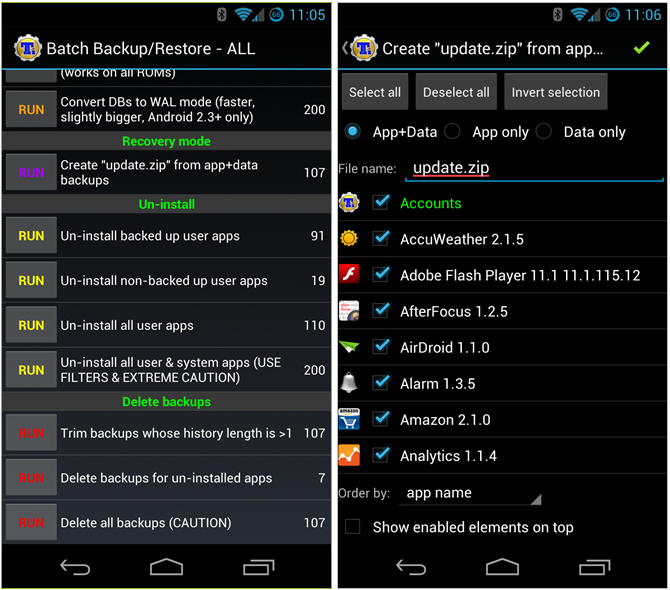
Titanium Backup comes in two versions: free and paid. The free version is simply called Titanium Backup and lets you backup all apps, system apps, and external SD card data. You can also schedule backups regularly. For many users, that’s more than enough.
For users who want more, however, Titanium Backup Pro comes with a range of cool features, including the ability to freeze apps, sync your backups to cloud storage (Google Drive and Dropbox), backup apps without closing them, clear your Dalvik cache, remove unwanted bloatware apps, and more. The Pro app is relatively expensive and costs $5.99.
Titanium Backup is a must-have Android app because you should setup a backup every time you’re making changes to your device – like installing a custom ROM or swapping out files. That way, if something bad happens, you don’t lose all your important data.
Titanium Backup: https://play.google.com/store/apps/details?id=com.keramidas.TitaniumBackup
Titanium Backup Pro: https://play.google.com/store/apps/details?id=com.keramidas.TitaniumBackupPro
Superuser
Superuser is definitely a must-have app for Android users. It lets you give each app root access. Just download and install Superuser on your device. Then, next time you install an app, you’ll see a pop-up screen that asks you if you want to give the app root permission. That’s Superuser in action.
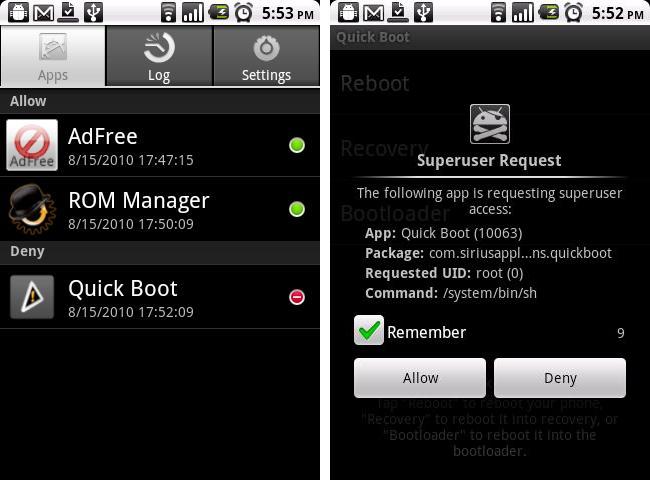
Simple, effective, and easy-to-use. Isn’t that what rooting your Android is all about?
Download Superuser for free here: https://play.google.com/store/apps/details?id=com.koushikdutta.superuser
Runners up:
-Greenify
-Juice Defender
-Tasker
-Full!Screen
-ROM Toolbox Pro