Today’s review is for a very specific audience. It is for those who either already own an Asus Zenwatch or are planning to buy the amazing wearable device. It is about
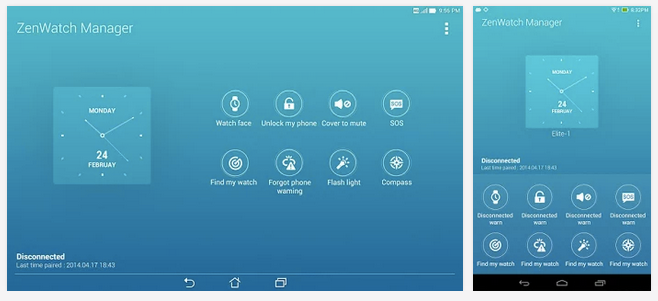
Asus Zenwatch Manager which is a companion app to your ASUS ZenWatch that provides advanced smart phone integration and extended functionality, enabling you to get the most out of your wearable device.
ASUS ZenWatch Manager helps you set up your ZenWatch, change the watch face to match your personal style, and use a variety of convenient features such as Cover to Mute, Unlock My Phone, and Find My Phone. ZenWatch manager even lets you easily and quickly send a preset message from ZenWatch in an emergency situation.
With
ASUS ZenWatch Manager and other ASUS wearable applications, you can take advantage of a variety of different functions. Together with the ASUS Remote Link app, you can turn your ZenWatch into a remote control and time manager for presentations. With the ASUS Remote Camera app, you can use ZenWatch as the viewfinder for your smart phone's camera, allowing you to open up new photographic opportunities and take photos from creative angles.
ASUS ZenWatch Manager provides convenient functions to help make your life easier, such as unlocking your smart phone without having to type your PIN or password, and warning you when you get out of range of your phone and risk leaving it behind. It also comes with useful tools such as a flashlight and compass.
As every other app, this app also has some amazing features:
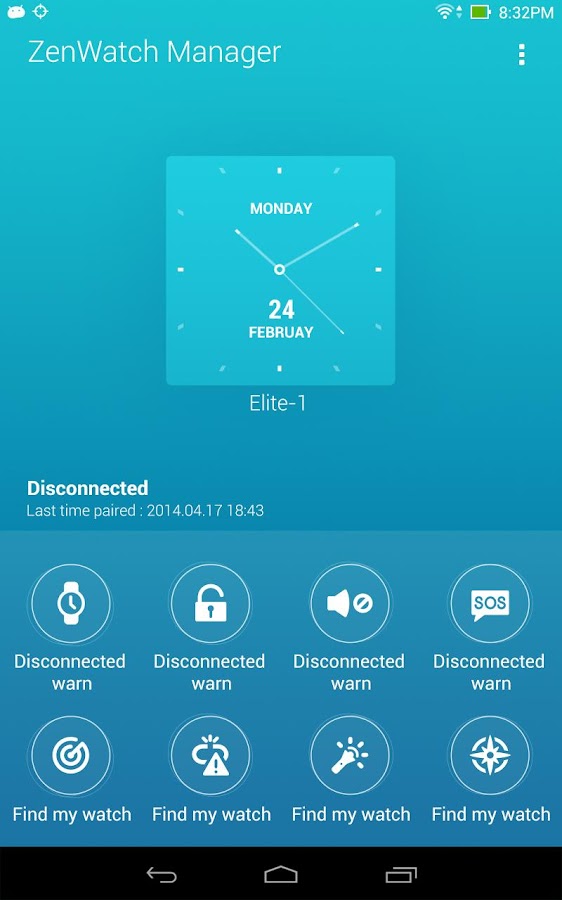
- Customize your watch face. You can select the information that you want to be displayed, such as step counts, calories burned, weather conditions, missed call notifications, battery levels, and additional time zones.
- Add emergency information that lets you easily and quickly send a preset message from ZenWatch in an emergency situation.
- Configure Watch Unlock to have ASUS ZenWatch automatically unlock your phone or tablet without having to enter a password. If not wearing ZenWatch, you devices remain protected and accessible with a PIN code.
- Receive notifications from ZenWatch when you leave your smartphone behind, making it less likely to be lost.
- Find your smartphone when it is misplaced by ringing it remotely. Alternatively, you can use ASUS ZenWatch Manager to find your misplaced ZenWatch by making it vibrate and flash.
An important tip while using apps for Asus Zenwatch is that you must only download recommended apps which appear in the ‘Recommended for You’ list. After downloading an app, you can open it from the same list.
A few more applications of the Zenwatch are:
- Open up new photographic opportunities and take photos from creative angles with ASUS Remote Camera.
- Give polished, effective presentations by using ZenWatch as a remote control and time manager with ASUS Remote Link.
- Keep your life in balance and achieve personal fitness goals with ASUS Wellness.
- Omlet Chat lets you chat with your friends and families on ZenWatch.
So now you know how to make optimal utilization of your Asus Zenwatch, all you need to do is download
Asus Zenwatch Manager. Maybe this app will give you a reason to buy this amazing wearable device if you don’t already have one.