With the influx of thousands of new utility apps in the Android app market on a daily basis, seldom do we come across apps that live up to their “utility” tag and offer a service of any real substance. Music and other audio apps have also seen their fair share of such underwhelming and monotonous apps that have nothing different to offer to the user except the different name that they are marketed as. On paper,
Bass Booster seems to be one of those Android apps; however, once you get into exploring its awesome depths, you will be surprised to see how hard-hitting and legitimately utilitarian it is for all music lovers.
Designed exclusively to satiate the music lover in you and enhance your audio experience by multiple levels, Bass Booster is the perfect app to rekindle your hearing experience. This ingenious Android app is especially great if your phone speakers are not that powerful or in case you own just an ordinary set of headphones.
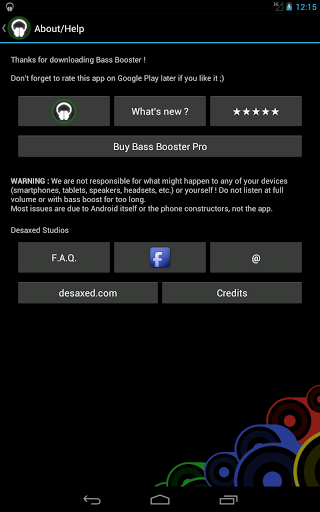
Though it isn’t easy a task to get this app to work on every Android device, the FAQ section answers all your queries to ensure that it does. Find answers to questions like:
- What devices are compatible with Bass Booster?
- Why doesn't Bass Booster work anymore after an update?
- How can I reduce battery consumption?
- How can I quit Bass Booster?
- Why doesn't Bass Booster work on my phone?
- Why does the equalizer only have 5 or 6 bands?
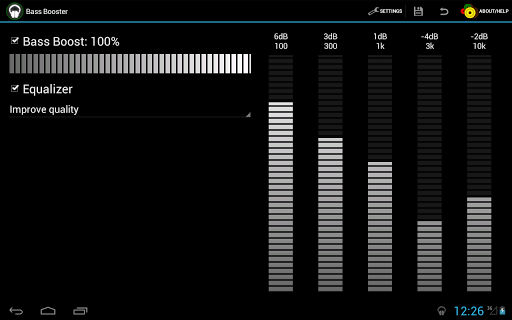
Bass Booster in its regular free version provides the following features:
- Bass Booster
- A 6 Bands Equalizer (5 on some phones)
- A holistic set of 20 Presets which all include more Basses, Dubstep, Electro, Party, Techno, Dance, Rap Acoustic , Pop, Metal, Reggae, Jazz, R&B, Hip-Hop, Latino, Classical, Rock
- Bass Booster also supports a Voice Booster, Volume Booster
- 1 customizable preset
The Improve Quality preset makes the best out of your audio device even if it isn’t up to the mark.
The Volume Booster preset allows you to increase the sound of you volume by 10 dB
There are customs as well that can be saved and modified. Further to complement the free app, the paid version of Bass Booster has its own set of umpteen features and customizability options that will fully justify their price tag once you get down to using them.
The pro version is a standalone app and is independent of the free version. To enjoy the best of the paid version, it is advised to uninstall the old one first. Also the features here are an extension of the Lite version.
The Pro features of Bass Booster include:
- A list of unlimited custom presets
- A set of 4 creative themes.
- An extremely user friendly Home screen shortcut
- A Home 2 x 1 screen widget
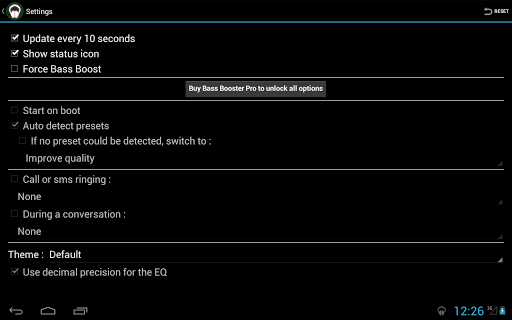
- Automatic preset on incoming call/SMS or during phone conversations
- Bass Booster also automatically starts on phone boot should you authorize such a thing.
- Reverb (in Beta though due to its incompatibility it may be phased out)
- An auto-detection preset
- A Virtualizer
- Music visualizer
The preset auto detection is a feature that the developers take most pride.
The essence of the Bass Booster app’s functionality lies in it being able to self-detect the genre of music being played and subsequently creating a preset that suits the music the best and enhances its audio experience.
It further goes on in to the intricacies of the genre too and can differentiate between an alternative rock preset and a punk rock preset with great finesse.
The auto-detect feature of Bass Booster is compatible with almost all the prominently used players in the Android app market. These include:
- Player Pro (recommended)
- RealPlayer
- Winamp (enable Scrobbling and install the Last.FM app).
- The stock player by Google
- Poweramp
- DoubleTwist (enable Last.FM scrobbling in DoubleTwist)
- Google Play Music