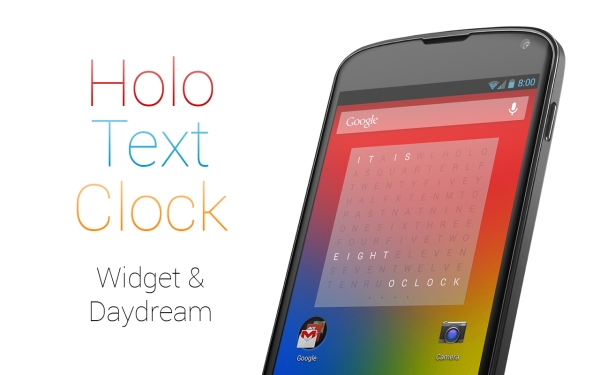
For the current generation of internet addicts and workaholics, the majority of us see fascinating things on a daily basis and wish we had the luxury of a little something that would change our lives forever if we could afford it. What are we talking about? The answer is time. Although stylish wristwatches still seem to be in vogue, your mobile device can prove to be a lot more efficient at displaying time and adding a layer of utility to it.
The Android space having answers to it all extends its gratitude to all the users on the platform and presents to you Holo Text Clock; a clock that doesn’t looks like a clock.
That’s right, no numbers or hands of the clock to tell u what time it is. Although this app may seem a bit unconventional at first glance, it is rich in utility. Holo Text Clock clock essentially brings to you a whole new way to look at time.
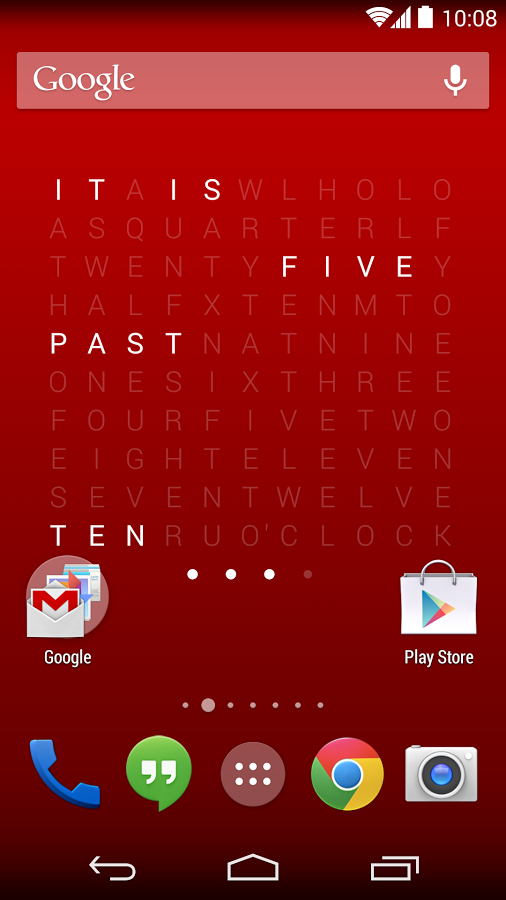
Imagine a blank space of words that have syllables like half, quarter, seven, ten, past, to, is, etc. Now evidently all of these words don’t make sense to you. Additionally, the words are thrown all over mixed in the world of letters to confuse you even more. But when you see what it actually does, Holo Text Clock will most definitely amaze you.
Once the clock is switched on, it highlights in the lighting these words to spell out the time, it kind of looks like an unconventional way to looking for things on a map, or better still, getting your way out through a code.
The Holo Text Clock app is available in a stand-alone mode where you can go into it to look at the time. Here a blank screen at the back will appear and you’re good to see the time.
Ahead of that, the Holo Text Clock app will give you access to this really cool widget that you can ogle at over your home screen and have it tell you the time in a way you haven’t ever seen. These widgets can be resized as per your convenience.
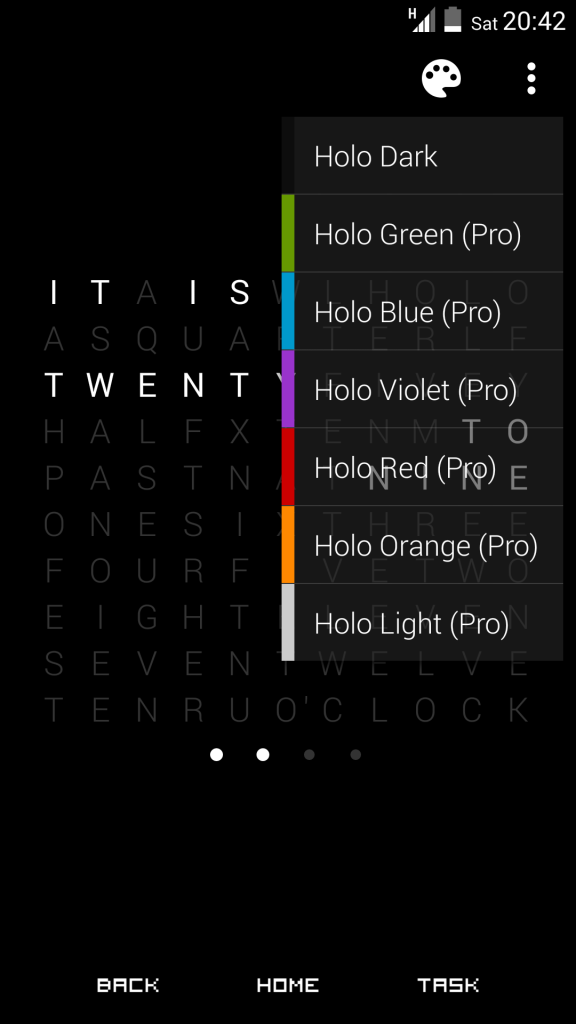
Once you tap the widget, what you get is multiple options to launch it or play around with the colors in it.
Here within the app when launched from the launcher you can you have multiple options to view the screen like
- Holo Green
- Holo Blue
- Holo Violet
- Holo Red
- Holo Orange
- Holo Light
The lock screen widget too can have multiple changes made to it.
For example – you can change the theme as above.
The background opacity can be amended through the app directly from 0% to 100%. The shortcut can be manoeuvred too and you can adjust around the compatibility mode where you can switch on or off the widget compatibility to match your needs.
Holo Text Clock allows you to change the language too with English as the default language.
You can upgrade the Holo Text Clock app to the pro version too, which offers bonus privileges like multiple wallpapers and themes that will be available in the choice of your favorite colors too. Live wallpapers are another cool addition to the pro version.
The clock is transparent and when you see it on the screen you also get to see the actual wallpaper set by you. The Holo Text Clock app has received a fair share of reviews on Google Play Store so far, and it’s not surprising to see the tremendous optimism and satisfaction of the people who have given it a try. Maybe it’s time you jump on board too.