

Mobizen – Convert Your Phone into Your PC
3 min read
We all love our smart phones but there is still a need for us to use our laptops or desktops, yes, desktops (don’t laugh). There are a few of us who are a little extreme, they love their smart phones so much that they give a very step-parental treatment to the rest of their devices and hate the fact that they are dependent on their laptops and desktop for a lot of things. If they could have it their way, they would chuck these other devices right out the window, okay fine, sell it off right away.
I have a solution. You knew, didn’t you? I thought as much. The solution is (drum roll) Mobizen! What is Mobizen? It is an app. Mobizen allows you to use your mobile phone easily from your PC. You can connect to Mobizen via USB, Wi-Fi, 3G or LTE on PC, Mac, iPad or Tablet. Mobizen will connect to your mobile devices with various networks.
It is that one app that will help you imitate everything that your PC can do so that you do not have to deal with that step-child of yours. Its features include:
SMARTPHONE MIRRORING
Real time mirroring on your PC is supported. With Mobizen, you can seamlessly continue gameplay and use of all other Android apps at full functionality on your PC. Continue to use Kik Messenger, WhatsApp on your PC with Mobizen.
SCREEN RECORDING
You can easily take screen shots and record your mobile screen without rooting. This is the easiest way to record and share mobile gameplay.
MOBILE PRESENTATION
Mobizen works as an effective presentation tool allowing you to mirror your mobile device to a large screen. Tools such as on-screen drawing can enhance the effectiveness of any presentation.
SMARTPHONE NOTIFICATION
Easily receive all smartphone notifications on your PC discreetly and choose which ones you would like to respond to at the click of your mouse.
VIDEO STREAMING
Mobizen allows you to stream music and videos to your PC with ease. Transferring files is no longer necessary as you can easily stream mobile multimedia to a large screen to share with friends and colleagues.
DRAG-AND-DROP FILE TRANSFER
Drag and Drop when you want to transfer photos and other media files to your PC from your mobile. You can also move contents from your PC to your mobile device with this easy-to-use function.
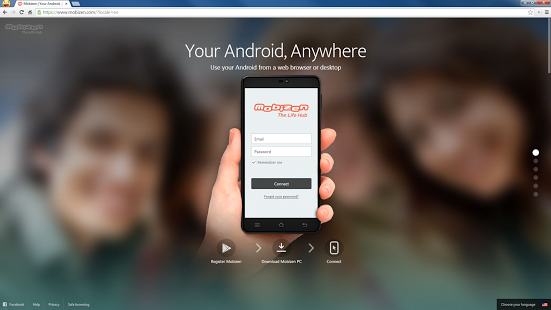
It is very easy to start using Mobizen. All you need to do is the following:
Step 1. Install the Mobizen app on your smartphone
Step 2. Download Mobizen PC from Mobizen.com
Step 3. Connect to Mobizen from either Mobizen.com or the Mobizen PC application
However, there are a few specifications that your beloved smart phone would need to fulfill in order to be able to perform the services provided by this app:
- Smartphone: Android 4.0+ smartphones and tablets
- Recording: Android 4.2+ smartphone and tablets
- Web access: Chrome 21+, Safari7+, Firefox18+, Internet Explorer 10+
- PC: Windows XP or later
- Mac: OS X 10.7 or later
If you have these requirements fulfilled then nothing can stop you from not using anything apart from you smart phone thanks to Mobizen!
Newsletter
Get the latest tech news delivered to your inbox weekly.